
Ergonomic Mistakes Most Office Workers Make (And How to Fix Them)
At Cedar Chiropractic & Physiotherapy in Burnaby, desk-related pain is one of the most common things we see, and the good news is that most contributing setup issues are genuinely fixable once you know what to look for.
Set Up Your Workspace To Work For You
Small, overlooked details in a desk setup add up to real strain over months and years, but they are also genuinely fixable, and you do not have to change everything at once to feel a difference.
At Cedar Chiropractic & Physiotherapy in Burnaby, our team can assess your specific workspace and movement patterns and help you build a plan that actually fits your job, not a generic checklist. Reach out to schedule an assessment and start making changes that stick.
The Most Common Desk Setup Mistakes
A handful of setup issues show up again and again, and they tend to compound each other rather than act in isolation.
1. Seat height that is working against you
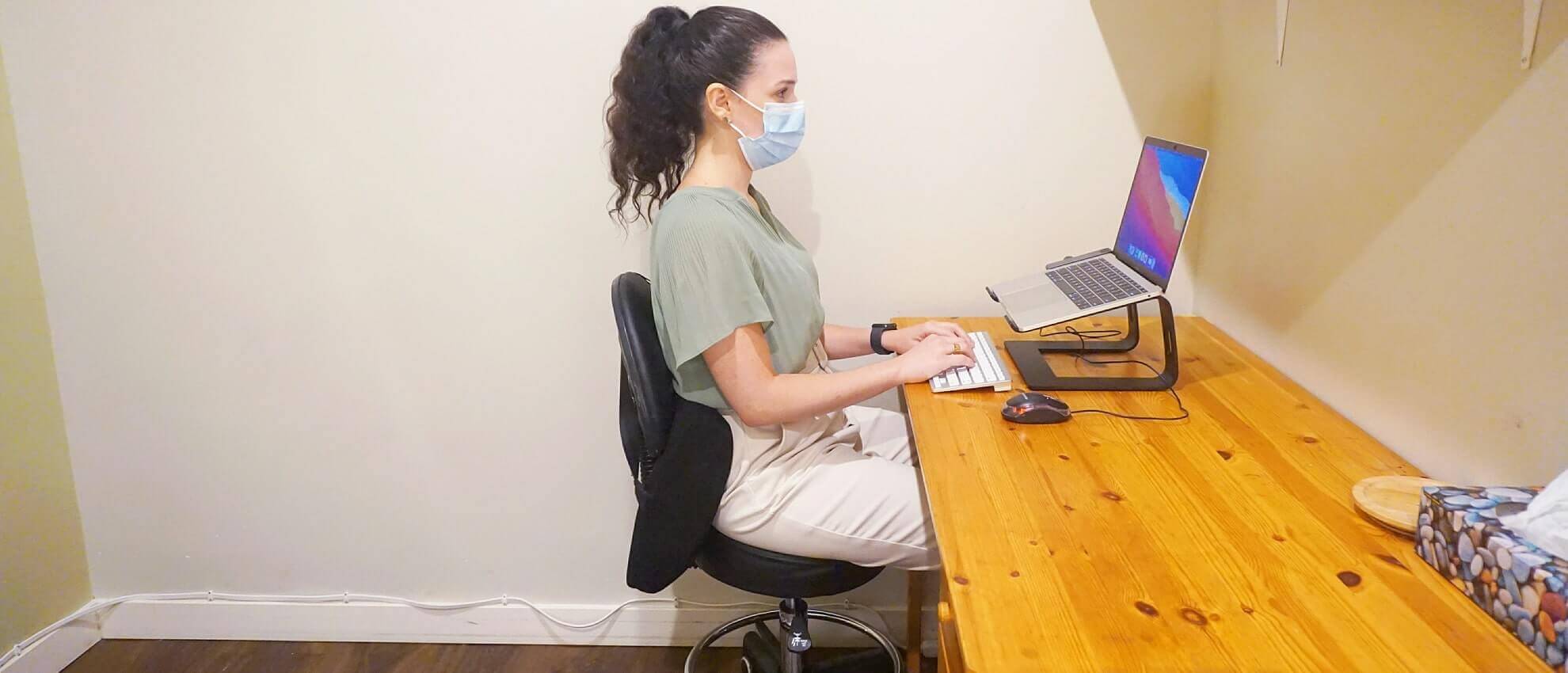
Chair height is one of the most overlooked variables in a desk setup, and it is usually one of the first things worth checking if your low back is the part of you complaining by mid-afternoon. The goal is having your hips level with, or very slightly above, your knees, with your feet flat on the floor or fully supported by a footrest.
Go too low, and your hips drop below your knees, tipping your pelvis backward and rounding out your lower back, not exactly a position your spine wants to hold for eight hours straight. Go too high without a footrest, and your feet end up dangling or barely grazing the floor, so pressure builds along the back of your thighs and you naturally slide forward to find something more stable, which usually means slouching
2. Screens set below eye level
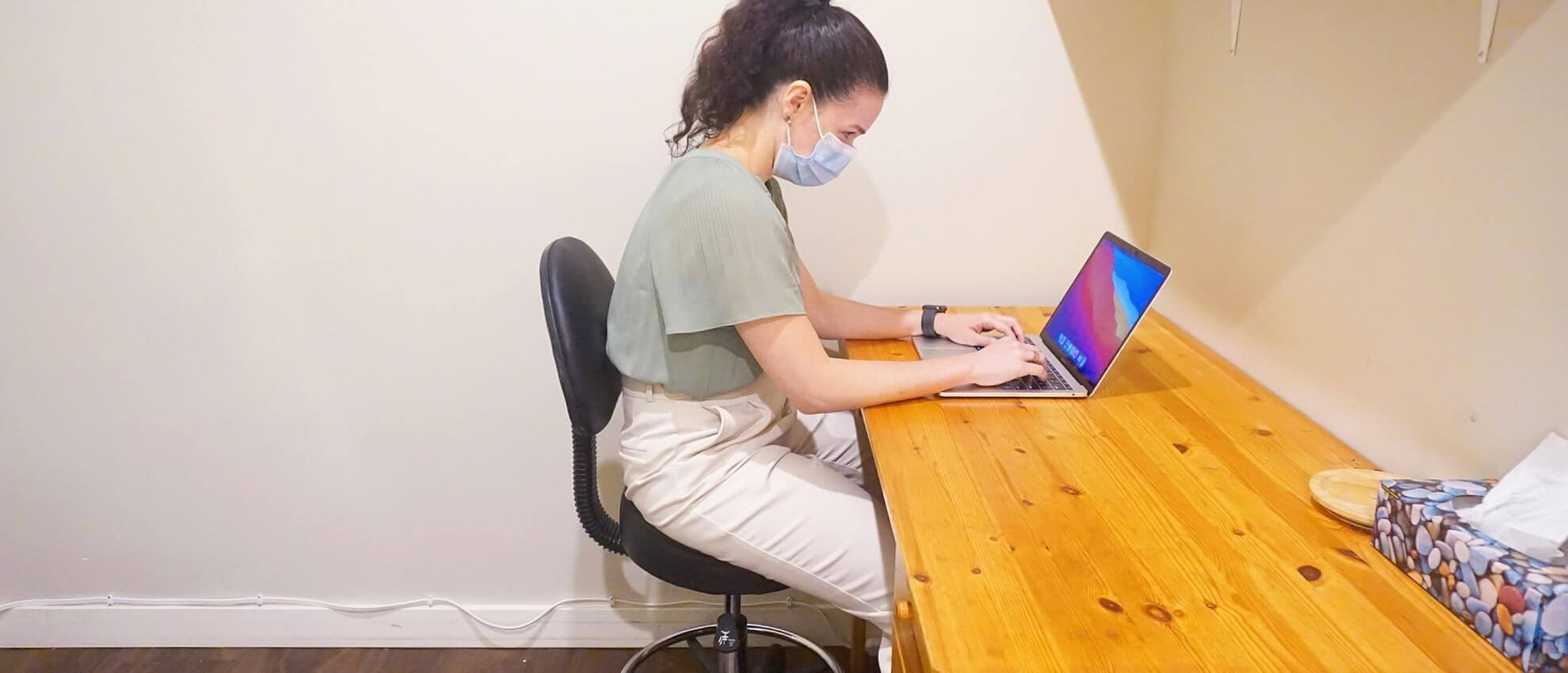
This is probably the single most common mistake, especially for anyone working primarily from a laptop. When your screen sits below eye level, you tilt your head and neck forward and down to see it, a posture sometimes nicknamed tech neck. Held for hours at a time, this position places sustained load on the muscles and joints at the base of your skull and through your neck, which is a major contributor to the neck and upper back tension so many desk workers deal with.
The general target is having the top third of your screen at or just below eye level, directly in front of you rather than off to one side.
3. Mouse and keyboard placement that strains your wrists and shoulders
Keyboard and mouse position gets far less attention than screens, but it drives a lot of the shoulder, wrist, and forearm discomfort we see. A keyboard positioned too high forces your shoulders up into a shrugged position for hours, while one positioned too far away encourages you to hunch forward to reach it.
A mouse placed too far to the side means repeatedly reaching and rotating your shoulder outward, and resting your wrists directly on a hard desk edge while typing puts direct pressure on the tissues around your wrist, including structures involved in conditions like carpal tunnel syndrome.
The general goal is keeping your elbows close to your body at roughly a 90o angle, with your wrists in a neutral, straight position rather than bent up, down, or to the side.
Why These Small Setup Issues Add Up To Real Pain
None of these mistakes on their own tends to cause a dramatic injury. The issue is duration and repetition. A slightly-too-low screen or a slightly-too-high keyboard might feel like nothing for the first twenty minutes, but sustained for 6 or 8 hours a day, 5 days a week, those small deviations add up to a meaningful, repeated load on the same tissues, day after day.
Neck and upper back tension frequently traces back to screen height, shoulder and wrist discomfort often traces back to keyboard and mouse position, and low back pain is frequently connected to seat height and lumbar support.
Fixing the setup does not guarantee pain disappears overnight, but it removes a contributing factor that your body has otherwise been fighting against for hours every single day.
It Is Not Just Setup: Static Posture And Movement Matter Too
Here is the part that surprises people: even a perfectly set up desk can still contribute to pain if you are sitting in it, unmoving, for hours at a stretch. Your body is not designed to hold any single position indefinitely, no matter how well aligned that position is.
Staying static:
- Reduces blood flow
- Lets postural muscles like your glutes and deep core go quiet
- Can make your nervous system more sensitive to that sustained posture over time
This means setup and movement are not competing solutions, they are 2 separate pieces of the same problem, and addressing only 1 while ignoring the other tends to leave you still dealing with some level of discomfort.
Movement Snacks To Build Into Your Day
Movement snacks are short, frequent bursts of activity spread through your workday rather than one workout squeezed in before or after. They do not need to be complicated to be effective.
- Standing up and walking for 2 to 3 minutes every 30 to 60 minutes
- A few shoulder rolls, chin tucks, and gentle neck stretches between tasks
- Ten sit-to-stands or bodyweight squats away from your desk
- Standing or pacing during phone calls instead of staying seated
- A short stretch for your hip flexors and chest, both of which tend to shorten with prolonged sitting

Building Better Habits Gradually, Not All At Once
If you have read this far and you are mentally rearranging your entire desk, your chair, your movement routine, and your daily schedule all at once, take a breath. That approach rarely sticks, and it is not necessary.
A more realistic path is picking 1 change and building it into an actual habit before adding the next. Maybe this week you simply raise your laptop and add an external keyboard so your screen hits eye level.
Once that feels automatic, add a recurring reminder to stand up every half hour. A few weeks after that, work on adjusting your chair and footrest setup. Small, sequential changes are far more likely to survive contact with a busy work schedule than an ambitious overhaul attempted all in 1 weekend, and each change you stick with compounds with the ones before it.
When Setup Changes Are Not Enough
Sometimes pain has been building for long enough, or a specific movement pattern or old injury is contributing enough, that setup and habit changes alone will not fully resolve it. If you have cleaned up your desk setup and built in regular movement but you are still dealing with persistent neck, shoulder, wrist, or back pain, that is a sign there is more going on than your workstation, and it is worth having it properly assessed rather than assuming you just have not adjusted enough yet.
Set Up Your Workspace To Work For You
Small, overlooked details in a desk setup add up to real strain over months and years, but they are also genuinely fixable, and you do not have to change everything at once to feel a difference.
At Cedar Chiropractic & Physiotherapy in Burnaby, our team can assess your specific workspace and movement patterns and help you build a plan that actually fits your job, not a generic checklist. Reach out to schedule an assessment and start making changes that stick.
Frequently Asked Questions About Ergonomic Set Up Mistakes
Q: What are some examples of incorrect ergonomics?
A: Mistakes commonly encountered when arranging your work space include having your monitor too low or too close, a seat that is either too high or too low and having a keyboard or mouse in an awkward location.
Q: What are 4 common ergonomic risk factors?
A: Four common ergonomic risk factors that may increase your likelihood of getting injured or feeling pain include awkward positioning, excessive exertion, exposure to prolonged vibration and repetitive movements.
Q: What is workplace ergonomics?
A: Workplace ergonomics relates to the study, design and practice of ensuring any equipment, tool, device, space or environment that a worker spends their day is properly arranged, organized and adapted to best fit the needs of the worker in order to avoid injury and pain.
Restuls will vary from person to person.